
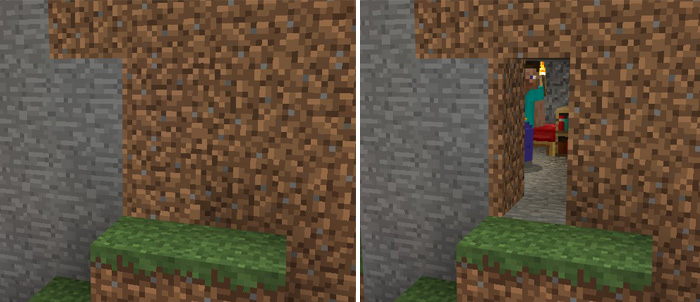
About Camouflage Doors
This is a resource pack which changes the design for all of the doors in Minecraft to make them better blend in with the surrounding terrain. Mobs such as villagers or zombies will still treat the doors just as before so it’s more suitable for multiplayer servers where you want an easy option to hide something such as a base.
Creator: RealMrLava Updated: 16 May, 2018 (new version!)
How does it work? The textures for the doors have been redesigned to look just the same as to some of the most common terrain blocks in Minecraft. This means that you can much easier hide your base from other players. However, it will only work for players who have got the pack enabled at the same time as yourself (e.g. if the resource pack is required for a certain world).
Oak Door = Dirt Door Spruce Door = Cobblestone Door Birch Door = Sand Door Jungle Door = Red Sand Door Acacia Door = Stone Door Dark Oak Door = Granite Door Iron Door = Andesite Door Wooden Trapdoor = Dirt Trapdoor Iron Trapdoor = Stone Trapdoor
How to install Camouflage Doors
- Download the .mcpack file using the button on this page.
- Open the downloaded file with Minecraft Bedrock Edition.
- Wait for Minecraft to confirm that the import has completed.
- Activate the imported pack in the world settings.
- Back up important worlds before installing community content.
Download Camouflage Doors Textures for free


