
About Command Block Tutorial (Quick) (1.0.5 Only!)
This map provides a quick and easy tutorial for the new Command Block which can be used for executing commands. It’s being introduced in version 1.0.5 for Minecraft Pocket Edition and right now Android users can sign up for a beta here. It has already existed for Minecraft for PC for a long while and has proved to be a very useful block for custom maps and multiplayer servers.
Creator: Assassiner 003
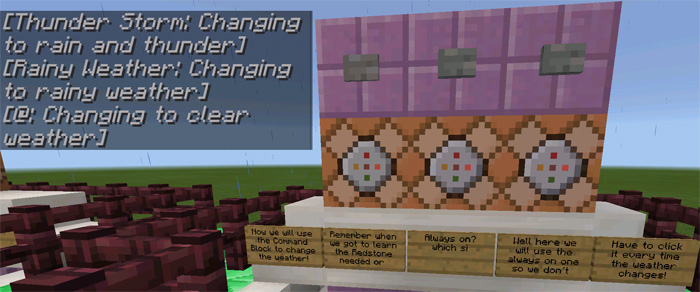
It’s primarily useful for people who have never used a command block before and want to get a glimpse of the endless possibilities. For example, here are three different buttons which I can press to change the weather in-game.
You can access the interface for the command block by tapping on the block.
All of the functions are explained with signs in-game. Make sure to read it all!
Important: This map requires version 1.0.5 for Minecraft .
How to install Command Block Tutorial (Quick) (1.0.5 Only!)
- Download the .mcworld file using the button on this page.
- Open the downloaded file with Minecraft Bedrock Edition.
- Wait for Minecraft to confirm that the import has completed.
- Select the imported world from the Minecraft world list.
- Back up important worlds before installing community content.
Download Command Block Tutorial (Quick) (1.0.5 Only!) (1.16) Creation for free


