
About Music Maker
This is a really cool map which you can use to compose your own music using a huge instrument somewhat similar to a piano. You can add your own notes to a track and then listen to your own music. If you enjoy making music then this is definitely something worth checking out. There’s really not that many limits to the music you can create using this. Feel free to share your music in a video in the comments!
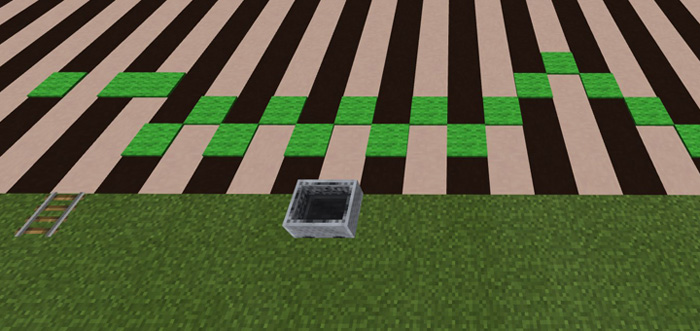
Creator: TheRedEngineer How does it work? The black and white board is like a piano and the green carpets function similar to notes. You can place new notes (or replace current ones) by adding carpets to the board to compose your own music.
Once you are ready to listen to your masterpiece then place down a minecart on the rail track and it’ll automatically start moving in on direction and output the music.
How to install Music Maker
- Download the .zip file using the button on this page.
- Open the downloaded file with Minecraft Bedrock Edition.
- Wait for Minecraft to confirm that the import has completed.
- Select the imported world from the Minecraft world list.
- Back up important worlds before installing community content.
Download Music Maker Creation for free


