
About Redstone Realms (Protect Your Server!)
This map features 9 different command block creations which are very useful if you want more smart ways to protect your Realms server. Anti-grief, banned items and a simple shop are some of the interesting creations which you will be able to check out and learn how to implement in your own worlds. It’s really a must-play for anyone with a server!
Creator: LegoAidan10155
How does it work? All of the following command block creations require that there is a command block somewhere in the nearby proximity of the area which you want protected.
Anti-Grief: This is very useful for areas which you want protected. Such areas could include the server hub, player houses or anything else.
Anti TNT: TNT can be placed down but there is no way that you will be able to ignite it. As soon as you try it will disappear from the face of the earth.
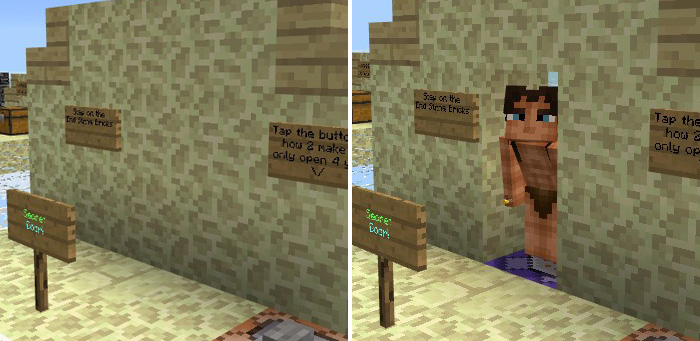
Secret Door: The door will automatically open once a player stands on the block in front of it, and then close when no one is there.
Simple Shop (Automatic): Set up a simple shop which sells items for emeralds. Players will only be able to buy the item if they’ve got the currency required for making the purchase.
There are a few other command block creations which are also them very useful in case you want to better protect your Realms server. But those I’ll let you explore by yourself in-game!
How to install Redstone Realms (Protect Your Server!)
- Download the .zip file using the button on this page.
- Open the downloaded file with Minecraft Bedrock Edition.
- Wait for Minecraft to confirm that the import has completed.
- Select the imported world from the Minecraft world list.
- Back up important worlds before installing community content.
Download Redstone Realms (Protect Your Server!) Creation for free


