
About Armor Stand Wave
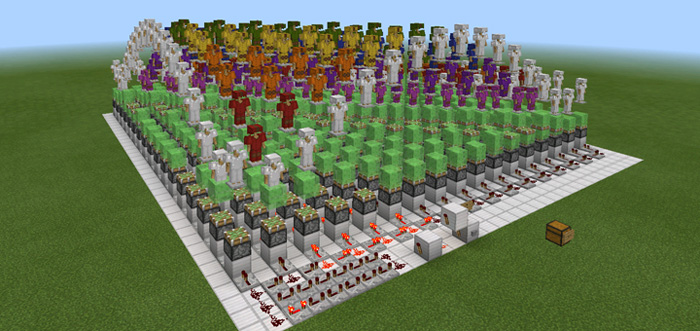
This is a redstone creation which features the new armor sets in version 1.2 in a beautiful animated artwork. It’s basically a display of armor sets wearing different armor. By pressing a button in-game the armor stands will start bouncing up and down similar like a wave.
Creator: Jhomes
How does it work? Press the button on the iron block to power the redstone and initiate the wave.
It’s a really beautiful thing to see but besides that there is really not much else to do in the map.
How to install Armor Stand Wave
- Download the .zip file using the button on this page.
- Open the downloaded file with Minecraft Bedrock Edition.
- Wait for Minecraft to confirm that the import has completed.
- Select the imported world from the Minecraft world list.
- Back up important worlds before installing community content.
Download Armor Stand Wave Redstone for free
Preparing your download…
If the download did not start automatically, click here.


