
About Shield hero
- Turn on all experimental options in map settings
When starting the game, a structure will be generated, you will receive two items.
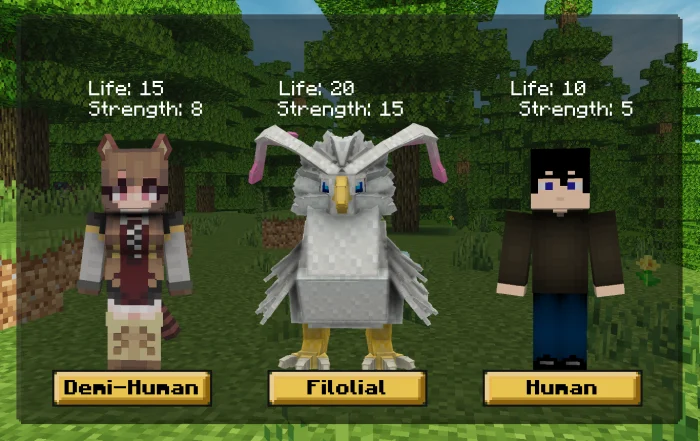
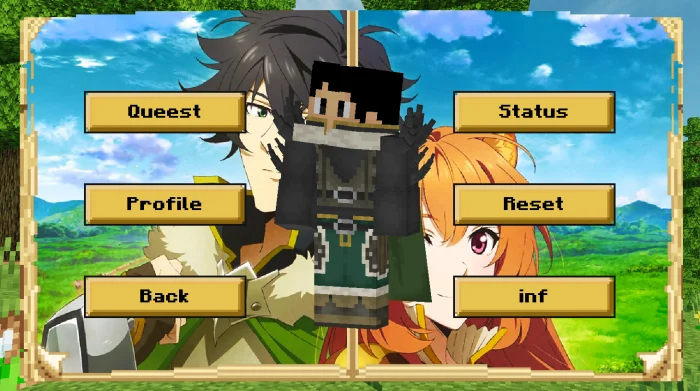
Use the Menu Item to Choose your Race in the Game! If Human Choice, you will have a new Choice screen!
On this screen you can do several things
Quests: In the anime's Story mode, each Enemy defeated will give you XP/TP.
Profile
You can see your statuses evolved Example:
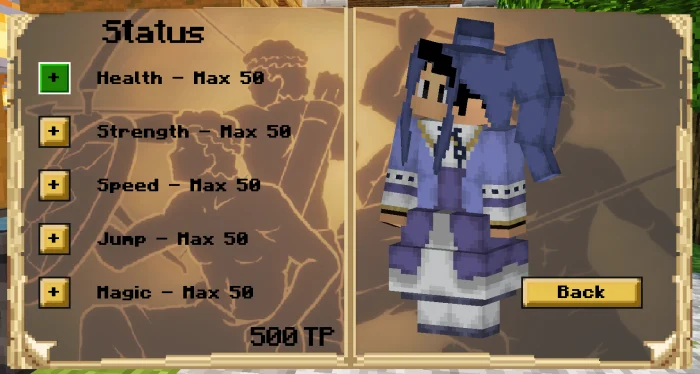
Status
On this screen you can level up your character with TP.
Reset
When you select this option your character will be reset, remembering that your items will be deleted!
After creating your world, this Structure will be generated with several characters inside!
The characters below will be the Representatives of each race.
Use hero certificate to receive gold coins when entering the world!
Shield hero screenshots
How to install Shield hero
- Download the .mcaddon file using the button on this page.
- Open the downloaded file with Minecraft Bedrock Edition.
- Wait for Minecraft to confirm that the import has completed.
- Activate the imported pack in the world settings.
- Back up important worlds before installing community content.
Creator: AL3XANDRE
Download Shield hero (1.18, 1.19, 1.20) Magic for free


