
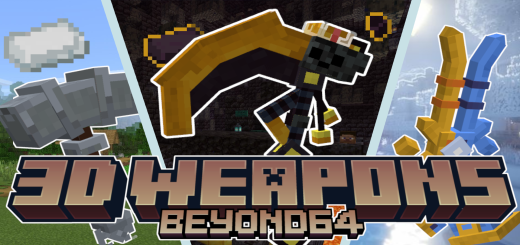
About Beyonds 3D Weapons
Beyond's 3D Weapons addon adds numerous new weapons with 3D models and custom abilities to Minecraft. The new item block and structure help you acquire these weapons. All weapons have custom crafting recipes, making them survival-friendly.
1. Circus Cluster
Main Abilities: Interact to shoot cluster bomb that explodes or impact 3 Meele Attack Damage
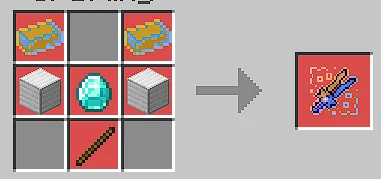
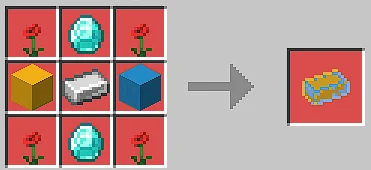
"Extras" Circus Ingot: Used To Make Circus Cluster And Circus Hat.
Crafting Recipe
- Circus Hat: When worn, Your cluster bomb explodes in a larger area and spreads fire.
2. Basic Hammer
Main Abilities: Is a Normal Weapon At The Start But Can Be Modified With Different Crafts That Will Drastically Improves The Weapons
Custom Items For This Weapon
Extra:
- New Ore: Steel Stone Ore
- New Ingot: Steel Stone Ingot
3. Skull Wand
Abilities: Poison Foes That You Hit Interact To get A Random Magic item Sneak And Interact To Become Invisible For A Short Period Of Time
Magic Items
Heal Hearb: When You Eat You Get Regen And Blindness For 8 Sec
Extras
New Structures
- New Item: Poison Bone
Leg Break Potion: When Drunk, Foes Around You Gets Slowed Stink Potion: When Drunk, Foes Around You Get Poisoned
4. Leggns Bottle
Abilities: Regen Bottle:- Regen Effect Every 3 sec Defense Bottle:- Infinit Resistance Effect Night Vision Bottle:- Infinit Nightvision Effect Strength Bottle:- Infinit Strength Effect
5. Reinforced Netherite Sword
Abilities:
Reinforced Netherite Sword Lv1
- Interact To Burn All Mobs In A 6 Block Radius
Reinforced Netheite Sword Lv2:-
- Interact To Burn Mobs In A 6 Block Radius
- Pre Enchanted With Fire Aspect
- Infint Fire Resistance When Hold
Reinforced Netherite Sword Lv3:-
- Interact To Burn Mobs In A 6 Block Radius
- Pre Enchanted With Fire Aspect
- Infint Fire Resistance When Hold
- Sneak And Interact To Start Fire Jet Ability
5. Gilded Blackstone Scythe
Abilities: Sweaping:
- Hit To Do A Sweeping Attack
Scythe Throw
- Interact To Shoot Your Scythe To Do A Area Damage
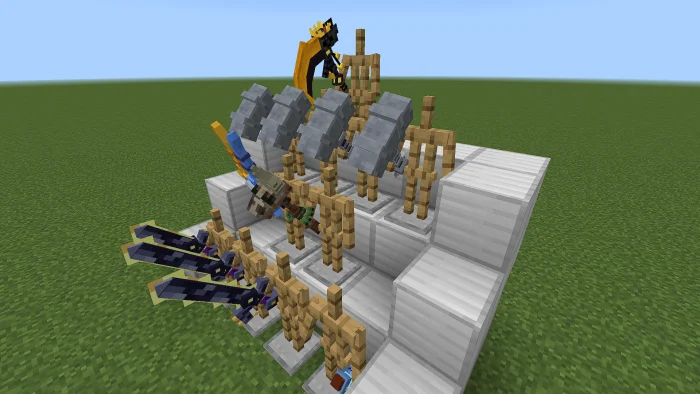
Beyonds 3D Weapons screenshots
How to install Beyonds 3D Weapons
- Download the .mcaddon file using the button on this page.
- Open the downloaded file with Minecraft Bedrock Edition.
- Wait for Minecraft to confirm that the import has completed.
- Activate the imported pack in the world settings.
- Back up important worlds before installing community content.
Creator: Beyond64
Download Beyonds 3D Weapons (1.20) Weapon for free


