
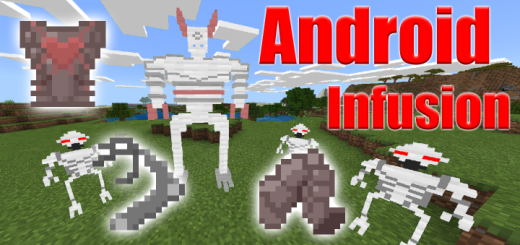
About Android Infusion
- * This addon uses the player.json, it will have to be at the top of the addon list to work correctly.
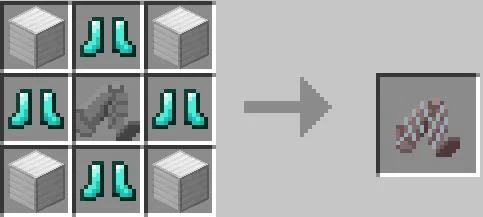
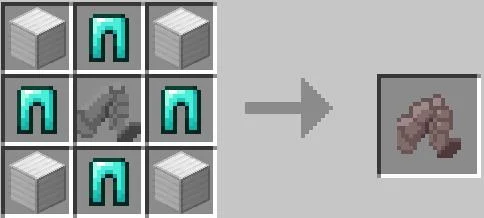
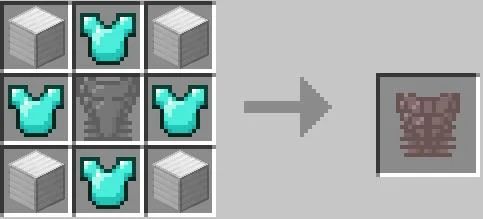
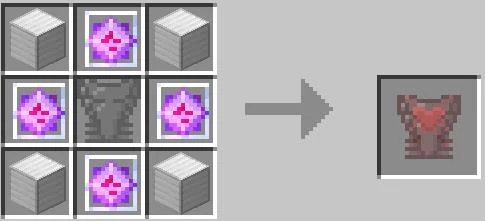
This addon adds 2 new hostile mobs and 7 possible upgrades that the player can craft and use. These upgrades are robotic body parts, each coming with unique buffs and effects. Up to 3 of these upgrades can be enabled at a time by right clicking one of the upgrade items.
You can only equip 1 upgrade per part (arm, torso, leg). If you want to switch parts, all you have to do is interact with it and the old part will be given back to you and the new one will be equipped. To gather the scrap parts shown in the recipes you have to defeat androids or metal giants, both of these entities have a chance to drop a random scrap part when killed and will spawn randomly around your world.
Android Infusion screenshots
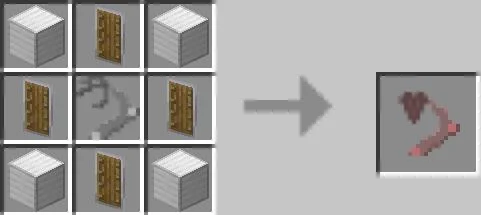
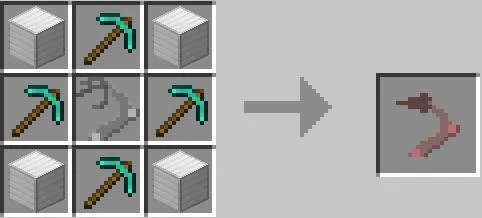
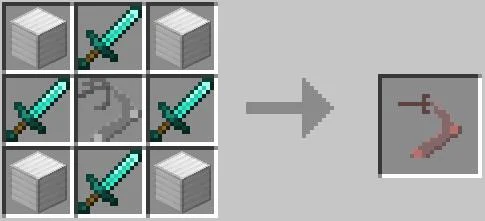
How to install Android Infusion
- Download the .mcaddon file using the button on this page.
- Open the downloaded file with Minecraft Bedrock Edition.
- Wait for Minecraft to confirm that the import has completed.
- Activate the imported pack in the world settings.
- Back up important worlds before installing community content.
Download Android Infusion (1.16) Bosses for free


