
About Elingo’s Lucky Block
- Turn Experimental Gameplay on
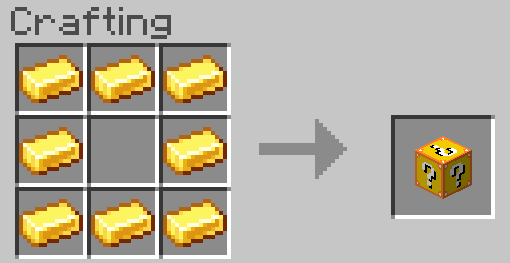
Lucky Block Underground [❌] Craftable [✔️] In Chests [❌]
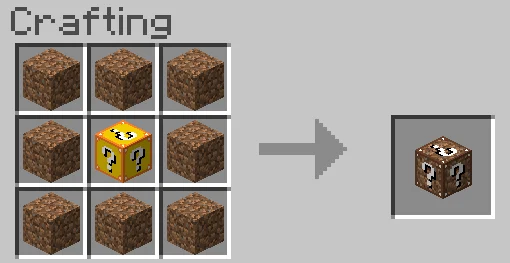
Dirt Lucky Block Underground [✔️] Craftable [✔️] In Chests [❌]
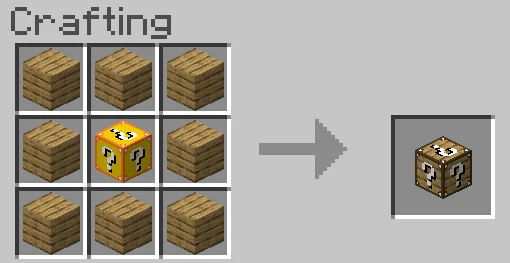
Wood Lucky Block Underground [❌] Craftable [✔️] In Chests [❌]
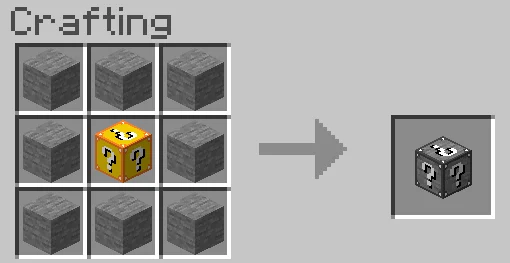
Stone Lucky Block Underground [✔️] Craftable [✔️] In Chests [❌]
Gold Lucky Block Underground [✔️] Craftable [✔️] In Chests [❌]
Diamond Lucky Block Underground [✔️] Craftable [✔️] In Chests [❌]
Netherite Lucky Block Underground [✔️] Craftable [✔️] In Chests [❌]
Redstone Lucky Block Underground [✔️] Craftable [✔️] In Chests [❌]
Lapis Lucky Block Underground [✔️] Craftable [✔️] In Chests [❌]
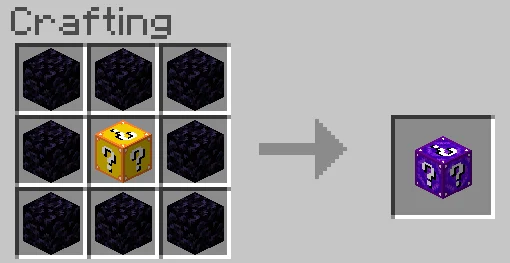
Nether Lucky Block Underground [❌] Craftable [✔️] In Chests [✔️]
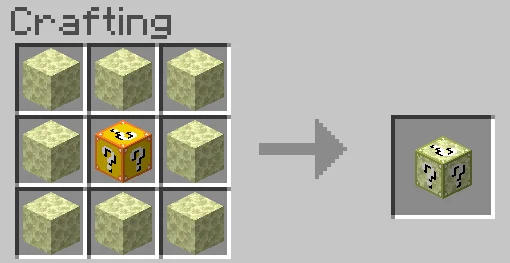
Endstone Lucky Block Underground [❌] Craftable [✔️] In Chests [❌]
Rainbow Lucky Block Underground [✔️] Craftable [❌] In Chests [❌]
Iron Lucky Block Underground [✔️] Craftable [✔️] In Chests [❌]
Coal Lucky Block Underground [✔️] Craftable [✔️] In Chests [❌]
Sand Lucky Block Underground [✔️] Craftable [✔️] In Chests [✔️]
Soul Sand Lucky Block Underground [✔️] Craftable [✔️] In Chests [❌]
Elingo’s Lucky Block screenshots
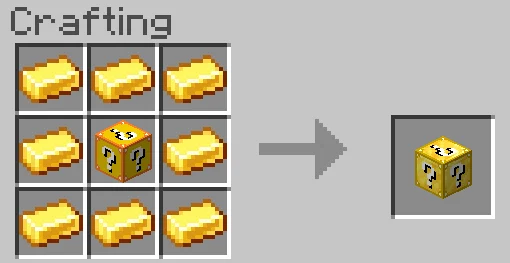
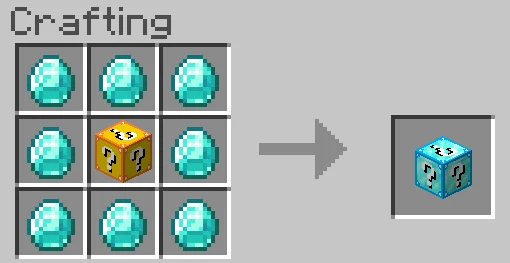
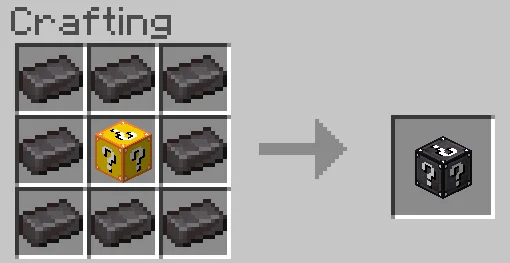
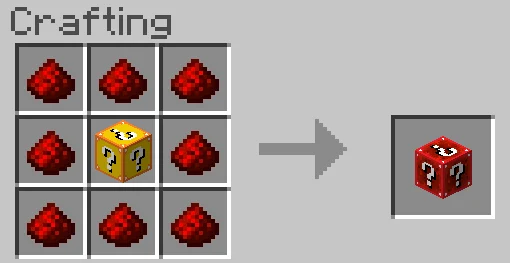
How to install Elingo’s Lucky Block
- Download the .mcaddon file using the button on this page.
- Open the downloaded file with Minecraft Bedrock Edition.
- Wait for Minecraft to confirm that the import has completed.
- Activate the imported pack in the world settings.
- Back up important worlds before installing community content.
Download Elingo’s Lucky Block (1.16) Gameplay for free


