
About Custom Floating Text
Created By JEBR Gaming
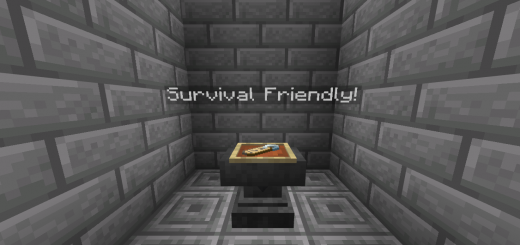
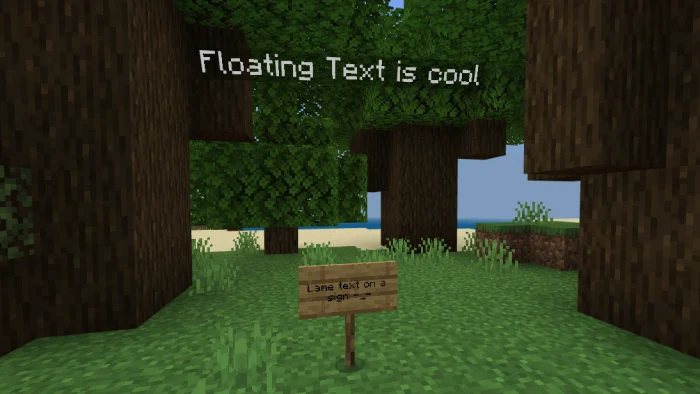
Floating text is a very useful feature for servers, realms, or maps. With this add-on you can easily display text in the air without using signs or name tags!
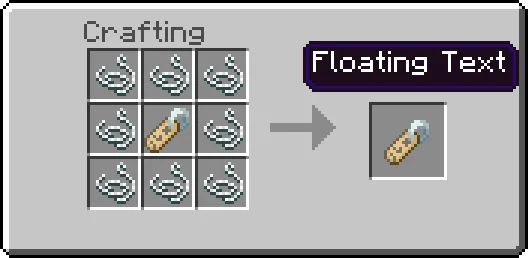
How does it work? To craft the floating text, put eight string surrounding a name tag in a crafting table. Once you place the text, its name will be displayed as "NPC". You can easily change the name by interacting with the entity and opening its UI. To destroy the floating text, simply sneak and interact.
The text has no gravity, so breaking the block beneath it will cause the floating text to float.
Custom Floating Text screenshots
How to install Custom Floating Text
- Download the .mcaddon file using the button on this page.
- Open the downloaded file with Minecraft Bedrock Edition.
- Wait for Minecraft to confirm that the import has completed.
- Activate the imported pack in the world settings.
- Back up important worlds before installing community content.
Download Custom Floating Text (1.17, 1.18) Decorations for free
Preparing your download…
If the download did not start automatically, click here.


