
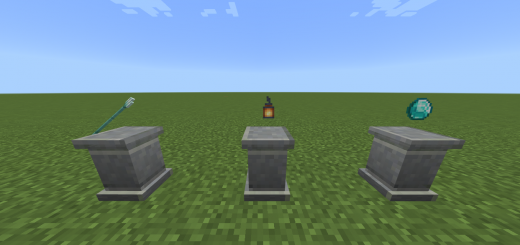
About Item Pedestal
Created By Amon28
This addon adds a new block to the game similar to how an item frame works but more fancier. You could display your items here and show it off. .
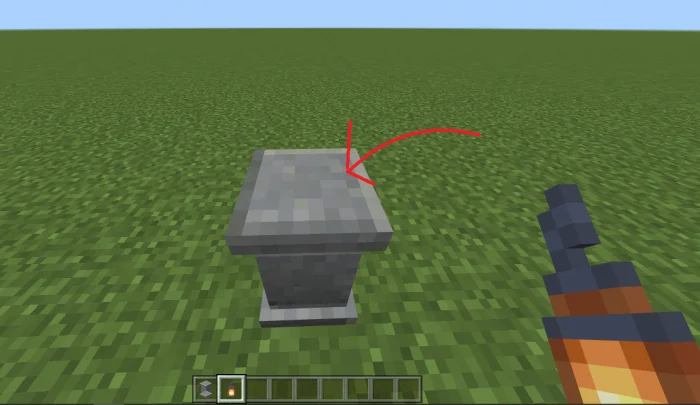
To use the item pedestal block just place it down and like an item frame hold an item and interact with it, be sure to point directly at the top of the pedestal.
You could also make the pedestal glow by using glowstone dust, just interact with it using a glowstone dust.
Item Pedestal screenshots
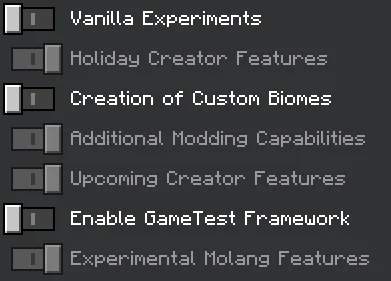
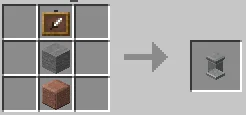
How to install Item Pedestal
- Download the .mcaddon file using the button on this page.
- Open the downloaded file with Minecraft Bedrock Edition.
- Wait for Minecraft to confirm that the import has completed.
- Activate the imported pack in the world settings.
- Back up important worlds before installing community content.
Download Item Pedestal (1.19) Decorations for free
Preparing your download…
If the download did not start automatically, click here.


