
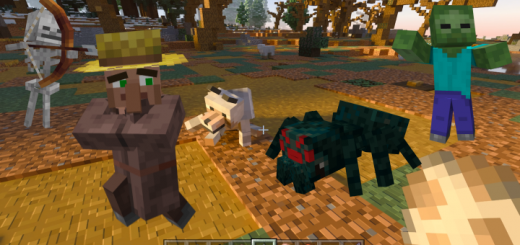
About Biological Optimization
Created By Herniet Studios
What is biological optimization? Creature optimization is based on the original Minecraft rules, which optimizes the models and animations of creatures to make them more realistic and attractive.I'm sure you'll like my work!
- What creatures have been optimized?
Blood: Living things have blood particles after death.
Zombie: Better biological models Better idel animation Better walking animation Added injury animation Added postmortem corpse Added three different attack animations Added death animation
Skeleton: Better biological models Better idel animation Better walking animation Added injury animation Added postmortem corpse Added new shooting animation Added death animation
Spiders and cave spiders: Better biological models Better idel animation Better walking animation Added injury animation Added postmortem corpse Added three different attack animations Added death animation
Creeper
Better biological models Better idel animation Better walking animation Added injury animation Added postmortem corpse Added death animation
evoker: Better biological models Better idel animation Better walking animation Better attack animation Added injury animation Added postmortem corpse Added death animation
illager: Better biological models Better idel animation Better walking animation Better attack animation Added injury animation Added postmortem corpse Added death animation
pillager: Better biological models Better idel animation Better walking animation Better attack animation Added injury animation Added postmortem corpse Better shooting animation Added death animation
revenger: Better biological models Better idel animation Better walking animation Better attack animation Added injury animation Added postmortem corpse Added death animation
villager: Better biological models Better idel animation Better walking animation Better escape animation Added injury animation Added postmortem corpse Better sleeping animation Better escape animation Added death animation
iron man: Better biological models Better idel animation Better walking animation Better attack animation Added injury animation Added death animation Added postmortem corpse
Vagrant merchant: Better biological models Better idel animation Better walking animation Better escape animation Added injury animation Added death animation Added postmortem corpse Better escape animation
Phantom: Better biological models Better flight animation
pig: Better biological models Better idel animation Better walking animation Better escape animation Added injury animation Added death animation Added postmortem corpse
cow: Better biological models Better idel animation Better walking animation Better escape animation Added injury animation Added death animation Added postmortem corpse
chicken: Better biological models Better idel animation Better walking animation Better escape animation Added injury animation Added death animation Added postmortem corpse
dog: Better biological models Better idel animation Better walking animation Better escape animation Added injury animation Added death animation Added postmortem corpse
Biological Optimization screenshots


How to install Biological Optimization
- Download the .mcaddon file using the button on this page.
- Open the downloaded file with Minecraft Bedrock Edition.
- Wait for Minecraft to confirm that the import has completed.
- Activate the imported pack in the world settings.
- Back up important worlds before installing community content.
Download Biological Optimization (1.16, 1.17, 1.18, 1.19) Cosmetic for free


