
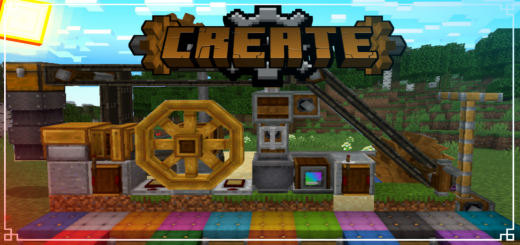
About Create Addon
Created By Ramcor14_BR
- Activate Experiments.
- Version 1.19.10+.
- Gamemode Survival is Recommended.
This addon adds blocks, items and systems ported from the java edition create mod.
✅Hand Crank
normal click = rotate right crouch click = rotate left
✅Shaft
used to transmit spin to other blocks
✅Gearbox
used to transmit spin to different positions
✅Cogwheel
It works like an axle, and can also transmit lateral rotation
✅Mechanical Belt
used to transmit spin and to transport entities
✅Gearshift
Used to reverse rotation of "Mechanical Piston" and "Mechanical Belt".Active when Redstone Block is on top
✅Mechanical Mixer && Basin
I recommend watching my showcase video
✅Mechanical Press && Depot I recommend watching my showcase video
✅Mechanical Saw && Mechanical Drill Mechanical Drill = Breaks all types of blocks except rock and obsidian Mechanical Saw = Destroys entire trees
✅Redstone Link
set the frequency (dye) and use.
- Transmitter only receives signal from redstone wire
- Receiver only sends redstone signal to redstone repeater
✅Water Wheel
It works when there's water under it. used to generate turning force
✅Furnace Generator
the most powerful generation of turning force. use coal as fuel I recommend watching my showcase video
✅Mechanical Piston
I recommend watching my showcase video
✅Chute
a hopper that drops items from the chest.
✅Pulse Adjustable Repeater
a redstone repeater with more timing options
✅Seats
16 colors
Create Addon screenshots


How to install Create Addon
- Download the .mcaddon file using the button on this page.
- Open the downloaded file with Minecraft Bedrock Edition.
- Wait for Minecraft to confirm that the import has completed.
- Activate the imported pack in the world settings.
- Back up important worlds before installing community content.
Download Create Addon (1.19) Tools for free


