
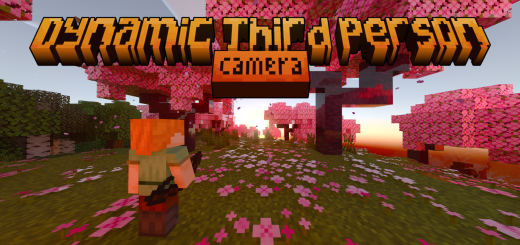
About Dynamic Third Person Camera
Created By kamii
- Turn on experiments in map settings!
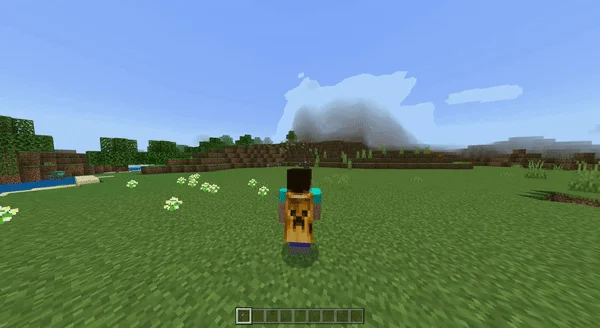
The dynamic third-person camera is an addon that makes your camera perspective more immersive with some dynamic algorithm to make a magnificent experience. This addon is aiming to create a more customizable third-person camera with some features.
Features
Dynamic first-person camera Aim mode perspective Leaning perspective when sneaking Free look character Custom dynamic crosshair Specific First person perspective item Costumizebale camera position
You can toggle it by typing “.toggle_cam”
Configuration
Dynamic First Person: to make able to change perspective to first person when some specific condition like in underground.
Vertical Smooth Transition & Speed
make the camera more smooth when jumping and change the speed of the transition.
Advance Camera Rotation
Make camera more dynamic by adding some dynamic offset position.
Scope Perspective
change camera mode when scoping or using item.
Target Stabilizer
make camera automatically rotate to player targeting location.
Peek When Sneak
add lean when sneaking.
Riding Camera Dist & Speed
change camera settings when riding.
Crosshair Type
Change Crosshair type on the screen.
Main hand Item First Person & Id
make camera automatically first person when holding a specific item, example for id input: “bow, iron_sword, spyglass”
Additional Distance & Camera Offset
add some offset for camera position.
You can access configuration by typing "/function config"
NOTE
These addon are server side so it may have delayed when you play in multiplayer and make it unplayable.
Dynamic Third Person Camera screenshots
How to install Dynamic Third Person Camera
- Download the .mcaddon file using the button on this page.
- Open the downloaded file with Minecraft Bedrock Edition.
- Wait for Minecraft to confirm that the import has completed.
- Activate the imported pack in the world settings.
- Back up important worlds before installing community content.
Download Dynamic Third Person Camera (1.20) Tools for free


