
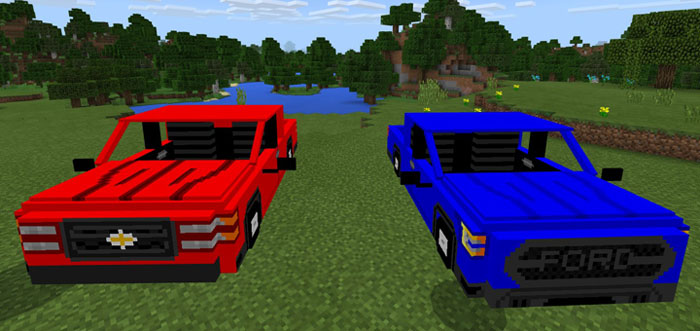
About Ford F-150 & Chevy Silverado
Every wanted to drive a pickup truck in Minecraft? Now you can drive two of them! This add-on implements two new pickup cars to game and both of them are based on vehicles in real life. The vehicles include a Ford F-150 and a Chevrolet Silverado.
Creator: Fernancraft277998
How does it work? The Spiders have been replaced by two new cars: Chevy Silverado and Ford-F150. The easiest way to obtain the cars is by spawning them with the spawn eggs found in the creative inventory.
Each car can be controlled by a player and used for driving around in your world.
iOS / Android: Long press on the shadow, press the ride button and hold a key (carrot on a stick) to start driving Windows 10: Right-click on the shadow to enter the car and hold a key (carrot on a stick) to start driving
How to install Ford F-150 & Chevy Silverado
- Download the .mcpack file using the button on this page.
- Open the downloaded file with Minecraft Bedrock Edition.
- Wait for Minecraft to confirm that the import has completed.
- Activate the imported pack in the world settings.
- Back up important worlds before installing community content.
Download Ford F-150 & Chevy Silverado (1.5.3) Transport for free


