
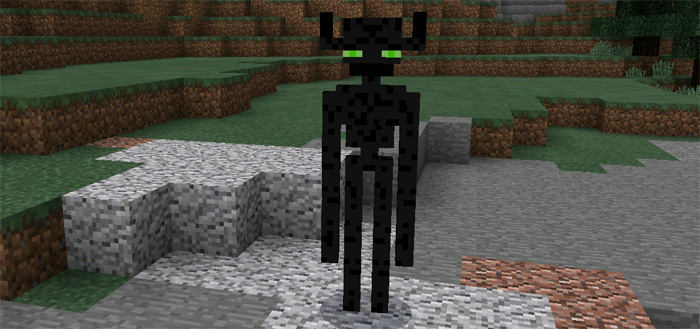
About The Farlanders Add-on
This is an addon which replaces a couple of the mobs in Minecraft PE with those of the Farlander species. A long time ago their lands, known as the Far Lands, disappeared and they had to find a new place to live. Eventually they reached the Overworld and that’s where you will meet them for the first time.
This addon is based on a popular mod with the same name. Right now it’s limited to just mobs but hopefully there will be more features as the possibilities for addons evolve.
Creator: Fabiulu (original PC pack) Ported by: TheEnderface
Mobs Most of the following mobs have one common weakness and that is water. Some of them can also teleport similar to a normal Enderman.
Farlanders (villagers) are peaceful creatures which can be found spawning in and around villages. You can trade rubies (emeralds) and other useful items with them
Ender Golem (iron golem) is a tall mob which will guard Farlanders from dangers such as hostile mobs. It spawns naturally in larger villages but you can also spawn it by building an iron golem structure or use the spawn eggs.
Rebel Farlander (creeper) is a hostile mob which attacks Farlanders and players.Iron golems will automatically start chasing them if they get close enough. Even though he looks to be armed with just a wooden sword he has abilities such as a poisonous attack which makes him dangerous.
Ender Minion (cave spider) is a neutral mob which can be tamed by feeding them apples. Once tamed they are supposed to protect you against hostile mobs.
Mystic Enderman (witch) looks similar to a normal enderman except that he will be moving with just one leg. It’s a hostile mob which can cause a blindness effect on the victim/attacker.
Ender Guardian (Wither Skeleton) is similar to the neutral Ender Golem which protects villagers. The difference is that it’s much smaller and is equipped with a bow and arrow.
Items Mystic Wand replaces Chorus Fruit Ruby replaces Emerald
How to install The Farlanders Add-on
- Download the .mcpack file using the button on this page.
- Open the downloaded file with Minecraft Bedrock Edition.
- Wait for Minecraft to confirm that the import has completed.
- Activate the imported pack in the world settings.
- Back up important worlds before installing community content.
Download The Farlanders Add-on Mobs for free


