
About Darth Vader
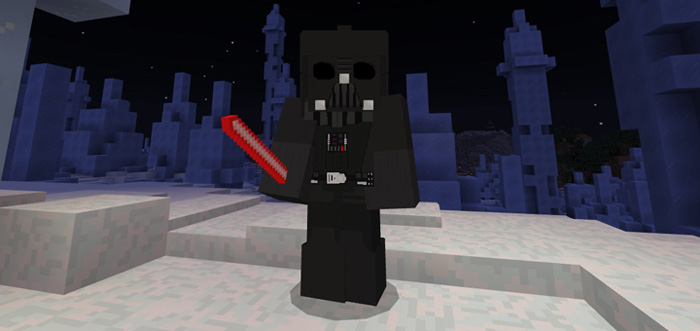
This add-on is for all you Star Wars fans out there. It adds the lightsaber and armor set of Darth Vader who is the main antagonist in the Star Wars movies. By wearing the armor set you will gain a few new abilities which will make you immensely powerful in Minecraft.
Creator: Rexiar Other Credits: solvedDev
How to be Darth Vader? You can turn into Darth Vader by wearing his full armor set. The clothing items replace the Chainmail armor set (boots, leggings and chestplate) and the helmet replaces the Skeleton Skull. So you will either need to craft those items or access the creative inventory and search for it there.
By wearing the full armor set you’ll gain a few new extra abilities.
+0.03 speed boost +20 health hearts Immunity to projectiles and fall damage
Besides the armor set also the red lightsaber has been added. It replaces the diamond sword and deals 50 attack damage.
You can place down the helmet on the ground as a decoration. This is because it replaces the Skeleton Skull and is a placeable block.
General Darth Vader Features
Armor replaces chainmail armor (except for the helmet which replaces the skeleton skull) Wearing the full armor set gives you new abilities +0.03 speed boost 20+ hearts Immune to fall damage and projectiles Lightsaber replaces the diamond sword (deals 50 attack damage)
How to install Darth Vader
- Download the .mcpack file using the button on this page.
- Open the downloaded file with Minecraft Bedrock Edition.
- Wait for Minecraft to confirm that the import has completed.
- Activate the imported pack in the world settings.
- Back up important worlds before installing community content.
Download Darth Vader Mobs for free


